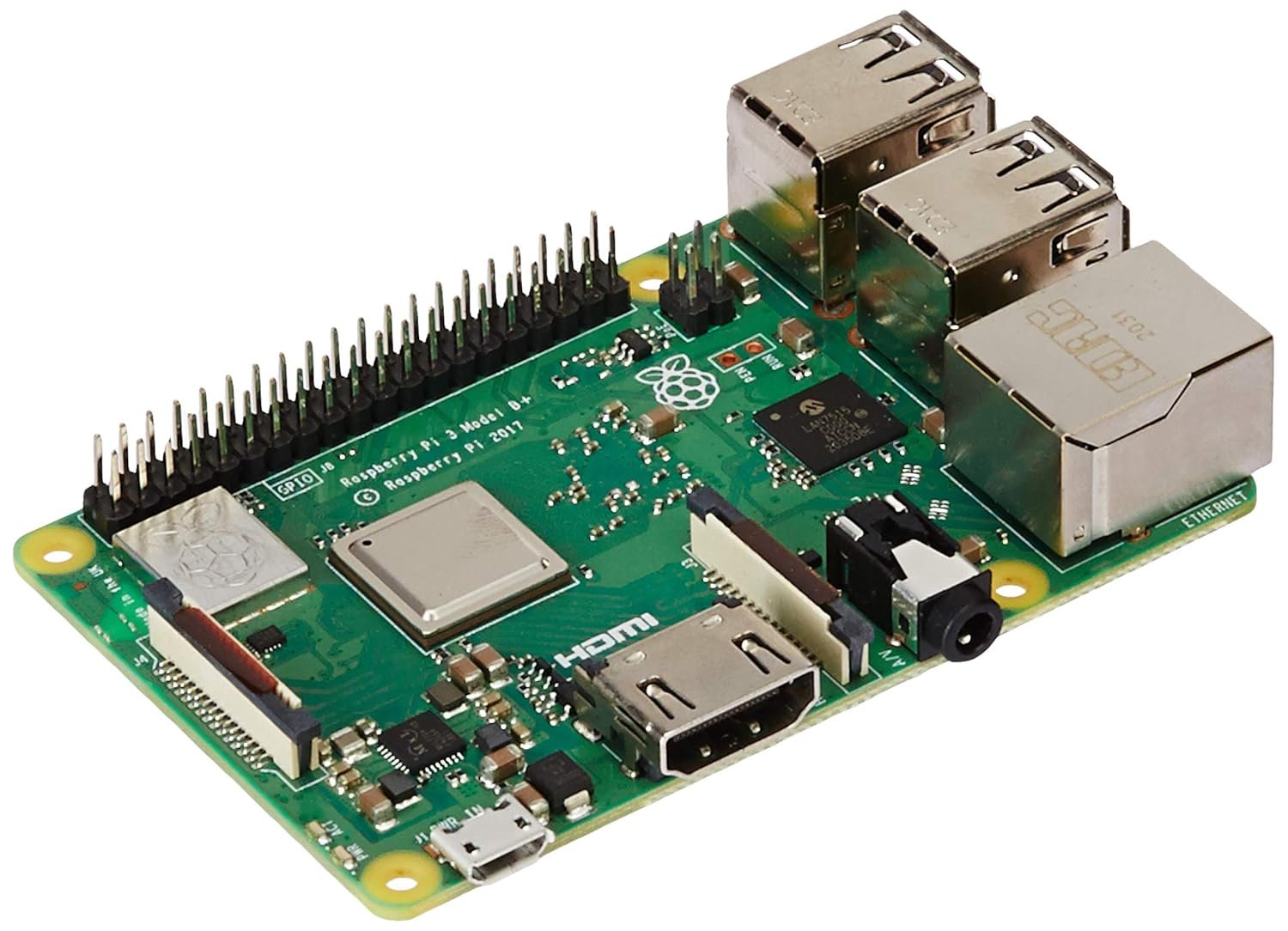
# ============================================================
# Hikvision DVR Alarm Host
# Generated by techlogics.net
# https://techlogics.net/cctv/hikvision-alarm-host.php
# ============================================================
#
# CAUTION: Review this code fully before running on any
# hardware. Verify all pin connections and power requirements
# match YOUR specific components. We are not responsible for
# damage to hardware, fire, or injury resulting from incorrect
# wiring, faulty components, or misuse of this code.
#
# Generated on: 14 Oct 2026
# ============================================================
#!/usr/bin/env python3
"""
Hikvision Alarm Host — Raspberry Pi display listener (PULL / ISAPI mode)
==========================================================================
Connects directly to the DVR/NVR using ISAPI + HTTP Digest authentication
and pulls a continuous live event stream — no configuration needed on the
DVR/NVR side at all (unlike the push-based "Alarm Host IP/Port" approach).
>>> EDIT THE CONFIG SECTION BELOW WITH YOUR REAL DVR DETAILS <<<
Never commit real credentials to source control or share this file
with them filled in — keep this file local to the Pi only.
How it works: opens a long-lived HTTP GET to
http://<DVR_IP>/ISAPI/Event/notification/alertStream
authenticated with HTTP Digest, and the DVR streams a continuous
multipart/mixed body — one part per event — for as long as the
connection stays open. This script parses each part's XML payload and
displays it on the attached 7" screen.
Payload format and the long-lived multipart/mixed streaming mechanism
confirmed against real, documented Hikvision ISAPI references before
this script was written — see test_multipart_parsing.py and
test_payload_parsing.py in this same folder for the standalone
verification of both the boundary-parsing and payload-parsing logic.
KNOWN REAL-WORLD CAVEAT: some HTTP client library versions have been
reported to mishandle Digest auth across a long-lived connection,
returning 401 after the first successful request. This script defends
against that by detecting a 401 mid-stream and performing a full
reconnect (fresh Digest handshake) rather than assuming the session
stays valid indefinitely.
"""
import os
import re
import json
import time
from datetime import datetime, timezone, timedelta
import logging
import threading
import xml.etree.ElementTree as ET
import requests
from requests.auth import HTTPDigestAuth
import pygame
# ── Logging — verbose, printed to stdout, so you can run this script
# manually over SSH and watch exactly what it's doing in real time.
# Includes raw chunk data received from the DVR, per request — this
# is genuinely noisy but useful for deep debugging of device-specific
# quirks (different firmware sending slightly different formats, etc.)
logging.basicConfig(
level=logging.DEBUG,
format='%(asctime)s [%(levelname)s] %(message)s',
datefmt='%H:%M:%S',
)
log = logging.getLogger('alarm_host')
# ══════════════════════════════════════════════════════════════════
# CONFIG — fill in your real DVR/NVR details here, on the Pi only.
# ══════════════════════════════════════════════════════════════════
DVR_IP = "192.168.1.111" # <-- set to your DVR's real LAN IP
DVR_USERNAME = "admin" # <-- e.g. "admin"
DVR_PASSWORD = "YOUR_DVR_PASSWORD" # <-- set this on the Pi, never share/commit it
DVR_PORT = 80 # change if your DVR uses a non-default HTTP port
RECONNECT_DELAY_SEC = 5 # wait time before retrying after a dropped/failed connection
SCREEN_W, SCREEN_H = 800, 480
# ── Display setup — same pattern as the existing Quiz Bot display ──
os.environ['SDL_VIDEODRIVER'] = 'KMSDRM'
os.environ['PYGAME_HIDE_SUPPORT_PROMPT'] = '1'
pygame.init()
screen = pygame.display.set_mode((SCREEN_W, SCREEN_H), pygame.FULLSCREEN)
pygame.mouse.set_visible(False)
FONT_BIG = pygame.font.SysFont('freesansbold', 64)
FONT_MED = pygame.font.SysFont('freesansbold', 46)
FONT_SMALL = pygame.font.SysFont('freesansbold', 30)
FONT_TINY = pygame.font.SysFont('freesansbold', 22)
FONT_TINY_BOLD = pygame.font.SysFont('freesansbold', 22, bold=True) # for the channel number labels, per request
BG_IDLE = (10, 14, 30)
BG_ALARM = (60, 10, 14)
BG_ERROR = (50, 35, 5)
CARD_BG = (42, 20, 22)
TITLE_BAR_BG = (191, 219, 237) # light blue, per request — Row 1 only, rest of dashboard stays dark
TITLE_TEXT_DARK = (12, 47, 74) # dark blue text, readable against the light title bar
TITLE_TEXT_MED = (42, 85, 119)
HISTORY_ROW_A = (28, 31, 41)
HISTORY_ROW_B = (21, 23, 31)
CAMERA_STATUS_CARD_BG = (59, 110, 165) # confirmed "Option B" medium blue, #3B6EA5
SHADOW_COLOR = (0, 0, 0)
WHITE = (255, 255, 255)
YELLOW = (255, 210, 60)
RED = (255, 80, 80)
LIGHT_RED = (240, 153, 153)
GREEN = (100, 220, 140)
GRAY = (140, 145, 160)
ORANGE = (255, 160, 60)
state_lock = threading.Lock()
connection_status = "connecting" # "connecting" | "connected" | "error"
last_error_message = ""
# Tracks, per channel number, how many events arrived today and when the
# last one was — powers the "last event" / "today's count" stat tiles.
# Resets at midnight (checked in update_event_stats below) rather than
# accumulating forever across days.
channel_stats = {} # { channel_num: {'count_today': int, 'last_seen': float} }
stats_date = time.strftime('%Y-%m-%d')
# Per-channel cooldown — confirmed needed from real device testing,
# where the same channel can fire several near-identical motion events
# within a second or two. Tracks the last time EACH channel was allowed
# to actually update the on-screen display, separate from channel_stats
# above (which counts EVERY real event, cooldown or not — the count
# should reflect true activity even if the display itself doesn't
# refresh on every single one).
channel_last_displayed = {} # { channel_num: timestamp }
COOLDOWN_SEC = 8 # minimum seconds between display updates for the SAME channel
# Rolling history of recent events, newest first, for the dashboard's
# history list (Row 3). Capped at MAX_HISTORY entries — older ones are
# dropped automatically so this never grows unbounded over a long
# uptime. Each entry: {'time': 'HH:MM:SS', 'chan_name': str, 'label': str}
event_history = []
MAX_HISTORY = 8
# Tracks each known channel's current "active" state for the grid (Row
# 2) — a channel is shown highlighted/active if its last event was
# within ACTIVE_HIGHLIGHT_SEC, otherwise it reverts to the idle/gray
# tile style even though its event count for today is preserved.
ACTIVE_HIGHLIGHT_SEC = 20
# ── Channel name mapping ─────────────────────────────────────────
# Auto-fetched from the DVR itself at startup (see fetch_channel_names()
# below) — no manual typing needed. Confirmed against your real DVR's
# actual response structure before this was built: analog channels (1-16)
# come from /ISAPI/System/Video/inputs/channels, IP/digital channels
# (17+) come from /ISAPI/ContentMgmt/InputProxy/channels — your DVR
# genuinely splits names across both endpoints, confirmed from your
# own diagnostic output (channels 18/19 both legitimately named "India 2"
# — a real dual-lens camera registered as two separate channels, not a
# duplicate/misconfiguration).
#
# WHICH CHANNELS SHOW IN THE GRID: only channels present in this dict
# get a tile in the dashboard's Row 2 grid. If you want to manually
# add a channel the DVR didn't report (or override a name locally
# without changing it on the DVR), add it to MANUAL_CHANNEL_OVERRIDES
# below — those values take priority over whatever the DVR reports.
CHANNEL_NAMES = {} # populated at startup by fetch_channel_names()
MANUAL_CHANNEL_OVERRIDES = {
# "18": "India 2 - Lens A", # example: uncomment and edit to override
}
# ══════════════════════════════════════════════════════════════════
# EVENT DISPLAY FILTER CONFIG
# ─────────────────────────────────────────────────────────────────
# A 3-gate pipeline between the DVR's raw event stream and what
# actually appears on the dashboard. All three gates must pass
# before an event is shown. Suppressed events are still counted in
# stats and logged — they just don't update the display.
#
# GATE 1 — SCHEDULE: per-channel weekly schedule defines when each
# channel's events are displayed. Keys are channel numbers as
# strings (matching the DVR's own numbering). Any channel NOT listed
# here defaults to ALWAYS ON (no schedule restriction).
#
# Each entry:
# 'enabled' : True/False — master switch for this channel
# 'weekdays' : list of ints, 0=Monday … 6=Sunday
# 'time_on' : 'HH:MM' — start of active window (24hr)
# 'time_off' : 'HH:MM' — end of active window (24hr)
#
# Example: channel 18 (India 2 - EZVIZ) active Mon-Fri 08:00-22:00,
# channel 2 (Godown) active all week 20:00-06:00 (overnight)
# ══════════════════════════════════════════════════════════════════
CHANNEL_SCHEDULE = {
# Analog channels (1-16)
"1": {'enabled': True, 'weekdays': [0,1,2,3,4,5,6], 'time_on': '00:00', 'time_off': '23:59'},
"2": {'enabled': True, 'weekdays': [0,1,2,3,4,5,6], 'time_on': '00:00', 'time_off': '23:59'},
"3": {'enabled': True, 'weekdays': [0,1,2,3,4,5,6], 'time_on': '00:00', 'time_off': '23:59'},
"4": {'enabled': True, 'weekdays': [0,1,2,3,4,5,6], 'time_on': '00:00', 'time_off': '23:59'},
"5": {'enabled': True, 'weekdays': [0,1,2,3,4,5,6], 'time_on': '00:00', 'time_off': '23:59'},
"6": {'enabled': True, 'weekdays': [0,1,2,3,4,5,6], 'time_on': '00:00', 'time_off': '23:59'},
"7": {'enabled': True, 'weekdays': [0,1,2,3,4,5,6], 'time_on': '00:00', 'time_off': '23:59'},
"8": {'enabled': True, 'weekdays': [0,1,2,3,4,5,6], 'time_on': '00:00', 'time_off': '23:59'},
"9": {'enabled': True, 'weekdays': [0,1,2,3,4,5,6], 'time_on': '00:00', 'time_off': '23:59'},
"10": {'enabled': True, 'weekdays': [0,1,2,3,4,5,6], 'time_on': '00:00', 'time_off': '23:59'},
"11": {'enabled': True, 'weekdays': [0,1,2,3,4,5,6], 'time_on': '00:00', 'time_off': '23:59'},
"12": {'enabled': True, 'weekdays': [0,1,2,3,4,5,6], 'time_on': '00:00', 'time_off': '23:59'},
"13": {'enabled': True, 'weekdays': [0,1,2,3,4,5,6], 'time_on': '00:00', 'time_off': '23:59'},
"14": {'enabled': True, 'weekdays': [0,1,2,3,4,5,6], 'time_on': '00:00', 'time_off': '23:59'},
"15": {'enabled': True, 'weekdays': [0,1,2,3,4,5,6], 'time_on': '00:00', 'time_off': '23:59'},
"16": {'enabled': True, 'weekdays': [0,1,2,3,4,5,6], 'time_on': '00:00', 'time_off': '23:59'},
# IP/digital channels (17+)
"17": {'enabled': True, 'weekdays': [0,1,2,3,4,5,6], 'time_on': '00:00', 'time_off': '23:59'},
"18": {'enabled': True, 'weekdays': [0,1,2,3,4,5,6], 'time_on': '00:00', 'time_off': '23:59'},
"19": {'enabled': True, 'weekdays': [0,1,2,3,4,5,6], 'time_on': '00:00', 'time_off': '23:59'},
"20": {'enabled': True, 'weekdays': [0,1,2,3,4,5,6], 'time_on': '00:00', 'time_off': '23:59'},
}
# GATE 2 — MINIMUM TRIGGER DURATION (seconds)
# Event must be continuously 'active' for this long before showing.
# Filters one-frame or very brief false triggers without raising the
# cooldown. Set to 0 to disable this gate entirely (show immediately).
# Can be per-channel (dict) or a single value applied to all channels.
MIN_TRIGGER_SEC = {
# Per-channel overrides — comment out any to use the default below
# "18": 2, # EZVIZ tends to re-trigger quickly; require 2s hold
}
MIN_TRIGGER_SEC_DEFAULT = 0 # seconds; 0 = show immediately (no duration gate)
# GATE 3 — COOLDOWN (already built, minimum seconds between display
# updates for the SAME channel). Defined earlier as COOLDOWN_SEC = 8.
# To change per-channel cooldown, edit CHANNEL_SCHEDULE above and add
# a 'cooldown_sec' key — the gate function reads this if present,
# otherwise falls back to COOLDOWN_SEC.
# ── Runtime state for the filter gates ───────────────────────────
channel_active_since = {} # { chan_num: timestamp } — for Gate 2 duration tracking
def is_channel_scheduled(chan_num: str) -> bool:
"""Gate 1: returns True if this channel's schedule allows display
right now. Channels not listed in CHANNEL_SCHEDULE default to
always-on. Weekday convention: 0=Monday, 6=Sunday (Python standard,
verified before this was written)."""
entry = CHANNEL_SCHEDULE.get(chan_num)
if entry is None:
return True # not in config → always show
if not entry.get('enabled', True):
return False
now = datetime.now()
weekdays = entry.get('weekdays', list(range(7)))
if now.weekday() not in weekdays:
return False
current_mins = now.hour * 60 + now.minute
on_h, on_m = map(int, entry.get('time_on', '00:00').split(':'))
off_h, off_m = map(int, entry.get('time_off', '23:59').split(':'))
on_mins = on_h * 60 + on_m
off_mins = off_h * 60 + off_m
# Handle overnight windows (e.g. 20:00 to 06:00)
if on_mins <= off_mins:
return on_mins <= current_mins <= off_mins
else:
return current_mins >= on_mins or current_mins <= off_mins
def check_duration_gate(chan_num: str, event_state: str) -> bool:
"""Gate 2: event must be continuously 'active' for the configured
minimum duration before display is allowed. Resets automatically
when the event goes 'inactive'. Returns True if the duration
threshold has been met (or min_trigger_sec is 0)."""
min_secs = MIN_TRIGGER_SEC.get(chan_num, MIN_TRIGGER_SEC_DEFAULT)
if min_secs == 0:
return True # gate disabled, show immediately
now_ts = time.time()
if event_state == 'active':
if chan_num not in channel_active_since:
channel_active_since[chan_num] = now_ts
return False
return (now_ts - channel_active_since[chan_num]) >= min_secs
else:
channel_active_since.pop(chan_num, None)
return False
def run_event_display_gates(chan_num: str, event_state: str) -> tuple:
"""Runs all 3 gates in order. Returns (should_display, gate_blocked_by).
Gate 1 (schedule) and Gate 2 (duration) are checked here.
Gate 3 (cooldown) is checked by the existing should_display_event()
and only called if Gates 1 and 2 both pass — so a cooldown check
doesn't consume the cooldown window on a schedule-blocked event.
Returns (True, None) if all gates pass, (False, 'gate_name') if blocked."""
if not is_channel_scheduled(chan_num):
return False, 'schedule'
if not check_duration_gate(chan_num, event_state):
return False, 'duration'
if not should_display_event(chan_num):
return False, 'cooldown'
return True, None
def fetch_channel_names() -> dict:
"""Queries the DVR's own configuration for real channel names,
combining analog channels (1-16 typically) from /System/Video/
inputs/channels with IP/digital channels (17+ typically) from
/ContentMgmt/InputProxy/channels. Falls back to an empty dict on
any failure — the dashboard's existing 'Channel N' fallback
display still works fine even with no names fetched at all."""
names = {}
auth = HTTPDigestAuth(DVR_USERNAME, DVR_PASSWORD)
for path, list_tag in [
("/ISAPI/System/Video/inputs/channels", "VideoInputChannel"),
("/ISAPI/ContentMgmt/InputProxy/channels", "InputProxyChannel"),
]:
url = f"http://{DVR_IP}:{DVR_PORT}{path}"
try:
resp = requests.get(url, auth=auth, timeout=10)
log.info(f"fetch_channel_names() GET {path} -> HTTP {resp.status_code}")
if resp.status_code != 200:
continue
root = ET.fromstring(resp.text)
for child in root.iter():
if child.tag.split('}')[-1] == list_tag:
chan_id, name = None, None
for f in child:
tag = f.tag.split('}')[-1]
if tag == 'id':
chan_id = (f.text or '').strip()
if tag == 'name':
name = (f.text or '').strip()
if chan_id and name:
names[chan_id] = name
except requests.exceptions.RequestException as e:
log.warning(f"fetch_channel_names() could not reach {path}: {e}")
except ET.ParseError as e:
log.warning(f"fetch_channel_names() could not parse response from {path}: {e}")
# Manual overrides always win, so a local rename doesn't require
# waiting for a DVR-side config change to take effect here.
names.update(MANUAL_CHANNEL_OVERRIDES)
log.info(f"fetch_channel_names() final channel map: {names}")
return names
def fetch_analog_feed_status() -> dict:
"""Queries /ISAPI/System/Video/inputs/channels for real per-channel
video feed presence — confirmed directly against real device data:
the resDesc field shows either an actual resolution string (e.g.
"1920*1080(1080P)P25") when a real signal is present, or the
literal string "NO VIDEO" when the channel has no feed at all.
This is genuinely live/changeable (a camera can disconnect and
reconnect), so it's refreshed periodically in the main loop, not
just fetched once at startup like channel names. Returns
{channel_id: True/False} — True means feed present. Empty dict on
any failure; the dashboard simply omits feed-status badges rather
than showing misleading data."""
status = {}
auth = HTTPDigestAuth(DVR_USERNAME, DVR_PASSWORD)
url = f"http://{DVR_IP}:{DVR_PORT}/ISAPI/System/Video/inputs/channels"
try:
resp = requests.get(url, auth=auth, timeout=10)
log.debug(f"fetch_analog_feed_status() GET /ISAPI/System/Video/inputs/channels -> HTTP {resp.status_code}")
if resp.status_code == 200:
root = ET.fromstring(resp.text)
for child in root.iter():
if child.tag.split('}')[-1] == 'VideoInputChannel':
chan_id, res_desc = None, None
for f in child:
tag = f.tag.split('}')[-1]
if tag == 'id':
chan_id = (f.text or '').strip()
if tag == 'resDesc':
res_desc = (f.text or '').strip()
if chan_id:
status[chan_id] = (res_desc != 'NO VIDEO')
except requests.exceptions.RequestException as e:
log.warning(f"fetch_analog_feed_status() could not reach DVR: {e}")
except ET.ParseError as e:
log.warning(f"fetch_analog_feed_status() could not parse response: {e}")
no_feed = [cid for cid, ok in status.items() if not ok]
if no_feed:
log.warning(f"fetch_analog_feed_status() channels with NO VIDEO: {no_feed}")
return status
def fetch_digital_channel_status() -> dict:
"""Queries /ISAPI/ContentMgmt/InputProxy/channels/status for real
online/offline status of IP/digital channels (17+) — confirmed
directly against your actual device data: 'online' field is
'true'/'false' per channel, with channel 20 genuinely confirmed
offline during testing. Combined with fetch_analog_feed_status()
in the dashboard's single green/red channel grid, per request.
Returns {channel_id: True/False}; empty dict on any failure."""
status = {}
auth = HTTPDigestAuth(DVR_USERNAME, DVR_PASSWORD)
url = f"http://{DVR_IP}:{DVR_PORT}/ISAPI/ContentMgmt/InputProxy/channels/status"
try:
resp = requests.get(url, auth=auth, timeout=10)
log.debug(f"fetch_digital_channel_status() GET .../channels/status -> HTTP {resp.status_code}")
if resp.status_code == 200:
root = ET.fromstring(resp.text)
for child in root.iter():
tag = child.tag.split('}')[-1]
if 'Status' in tag and tag != 'InputProxyChannelStatusList':
chan_id, online = None, None
for f in child:
ftag = f.tag.split('}')[-1]
if ftag == 'id':
chan_id = (f.text or '').strip()
if ftag == 'online':
online = (f.text or '').strip()
if chan_id and online is not None:
status[chan_id] = (online == 'true')
except requests.exceptions.RequestException as e:
log.warning(f"fetch_digital_channel_status() could not reach DVR: {e}")
except ET.ParseError as e:
log.warning(f"fetch_digital_channel_status() could not parse response: {e}")
offline = [cid for cid, ok in status.items() if not ok]
if offline:
log.warning(f"fetch_digital_channel_status() channels offline: {offline}")
return status
digital_channel_status_cache = {} # refreshed alongside analog feed status, same interval
analog_feed_status_cache = {} # refreshed periodically, like HDD status
feed_status_last_fetch_time = 0.0
FEED_STATUS_REFRESH_INTERVAL_SEC = 30 # a dropped feed is worth noticing fairly quickly, unlike HDD usage
dvr_time_cache = None # last fetched DVR datetime object (timezone-aware), or None
dvr_time_last_fetch = 0.0
DVR_TIME_REFRESH_INTERVAL_SEC = 60 # re-check every minute; clocks drift slowly
DVR_TIME_DRIFT_WARN_SEC = 180 # 3 minutes, per request
DEVICE_INFO_FIELDS = ['deviceName', 'model', 'manufacturer', 'macAddress', 'serialNumber', 'firmwareVersion']
def fetch_device_info() -> dict:
"""Queries /ISAPI/System/deviceInfo for real DVR identity details
(model, name, manufacturer, MAC, serial) — confirmed against the
exact same endpoint and parsing approach already verified working
in the standalone dvr_info.py diagnostic script, NOT hardcoded.
Called once at startup; if it fails, the footer simply skips the
device-info half of its 5-second cycle rather than showing blanks."""
info = {}
auth = HTTPDigestAuth(DVR_USERNAME, DVR_PASSWORD)
url = f"http://{DVR_IP}:{DVR_PORT}/ISAPI/System/deviceInfo"
try:
resp = requests.get(url, auth=auth, timeout=10)
log.info(f"fetch_device_info() GET /ISAPI/System/deviceInfo -> HTTP {resp.status_code}")
if resp.status_code == 200:
root = ET.fromstring(resp.text)
for child in root:
tag = child.tag.split('}')[-1]
if tag in DEVICE_INFO_FIELDS and child.text:
info[tag] = child.text.strip()
except requests.exceptions.RequestException as e:
log.warning(f"fetch_device_info() could not reach DVR: {e}")
except ET.ParseError as e:
log.warning(f"fetch_device_info() could not parse response: {e}")
log.info(f"fetch_device_info() result: {info}")
return info
device_info_cache = {} # populated at startup by fetch_device_info()
def fetch_dvr_time() -> datetime | None:
"""Queries /ISAPI/System/time for the DVR's current local time —
confirmed real endpoint and response format from multiple sources:
returns a <Time> block with <localTime> in ISO 8601 format including
timezone offset, e.g. '2023-11-09T18:32:36+03:00'. Returns a
timezone-aware datetime object, or None on any failure. The caller
compares this against the Pi's current time to detect clock drift."""
auth = HTTPDigestAuth(DVR_USERNAME, DVR_PASSWORD)
url = f"http://{DVR_IP}:{DVR_PORT}/ISAPI/System/time"
try:
resp = requests.get(url, auth=auth, timeout=10)
log.debug(f"fetch_dvr_time() GET /ISAPI/System/time -> HTTP {resp.status_code}")
if resp.status_code != 200:
return None
root = ET.fromstring(resp.text)
for child in root:
if child.tag.split('}')[-1] == 'localTime' and child.text:
dvr_dt = datetime.fromisoformat(child.text.strip())
log.debug(f"fetch_dvr_time() DVR localTime: {dvr_dt}")
return dvr_dt
except requests.exceptions.RequestException as e:
log.warning(f"fetch_dvr_time() could not reach DVR: {e}")
except (ET.ParseError, ValueError) as e:
log.warning(f"fetch_dvr_time() could not parse response: {e}")
return None
def fetch_hdd_status() -> list:
"""Queries /ISAPI/ContentMgmt/Storage for real HDD health — confirmed
against the documented structure (storage > hddList > hdd, with id/
hddName/status/capacity/freeSpace fields, capacity in MB) across
multiple independent real-world sources before this was written.
Returns a list of dicts, one per drive, or an empty list on any
failure — the dashboard simply omits the HDD section if this is
empty, rather than showing broken/blank data."""
drives = []
auth = HTTPDigestAuth(DVR_USERNAME, DVR_PASSWORD)
url = f"http://{DVR_IP}:{DVR_PORT}/ISAPI/ContentMgmt/Storage"
try:
resp = requests.get(url, auth=auth, timeout=10)
log.info(f"fetch_hdd_status() GET /ISAPI/ContentMgmt/Storage -> HTTP {resp.status_code}")
if resp.status_code == 200:
root = ET.fromstring(resp.text)
for hdd in root.iter():
if hdd.tag.split('}')[-1] == 'hdd':
d = {}
for f in hdd:
d[f.tag.split('}')[-1]] = (f.text or '').strip()
if d:
drives.append(d)
except requests.exceptions.RequestException as e:
log.warning(f"fetch_hdd_status() could not reach DVR: {e}")
except ET.ParseError as e:
log.warning(f"fetch_hdd_status() could not parse response: {e}")
log.info(f"fetch_hdd_status() result: {drives}")
return drives
hdd_status_cache = [] # refreshed periodically (see main loop), not just once at startup —
hdd_last_fetch_time = 0.0 # disk usage genuinely changes over a long uptime, unlike device identity
HDD_REFRESH_INTERVAL_SEC = 300 # re-check every 5 minutes; HDD status doesn't need second-by-second polling
# ── Event payload parsing ───────────────────────────────────────
# Verified against real documented Hikvision XML/JSON payload examples
# before use (see test_payload_parsing.py). Intentionally defensive:
# different devices/firmware populate different field sets, so missing
# fields default gracefully rather than crashing the display.
EVENT_FIELDS = ['eventType', 'eventState', 'channelName', 'channelID', 'dynChannelID', 'dateTime', 'ipAddress']
def parse_event(text: str) -> dict:
text = text.strip()
log.debug(f"parse_event() raw payload ({len(text)} chars): {text[:300]}{'...[truncated]' if len(text) > 300 else ''}")
result = {f: '' for f in EVENT_FIELDS}
result['eventType'] = 'Unknown'
result['eventState'] = 'active'
if not text.startswith('<') and not text.startswith('{'):
result['parseError'] = 'Payload is neither XML nor JSON'
log.warning(f"parse_event() unrecognized payload format, first 80 chars: {text[:80]!r}")
return result
try:
if text.startswith('<'):
root = ET.fromstring(text)
for child in root:
tag = child.tag.split('}')[-1]
if tag in result:
result[tag] = child.text or ''
elif text.startswith('{'):
data = json.loads(text)
inner = data.get('EventNotificationAlert', data)
for key in EVENT_FIELDS:
if key in inner:
result[key] = str(inner[key])
except Exception as e:
result['parseError'] = str(e)
log.error(f"parse_event() failed to parse payload: {e}")
log.info(f"parse_event() result: eventType={result.get('eventType')} "
f"channelName={result.get('channelName')!r} eventState={result.get('eventState')}")
return result
EVENT_TYPE_LABELS = {
'VMD': 'Motion Detected',
'fielddetection': 'Field Detection',
'linedetection': 'Line Crossing',
'regionEntrance': 'Region Entry',
'regionExiting': 'Region Exit',
'cidEvent': 'Alarm Zone Triggered',
'ANPR': 'License Plate Detected',
'videoloss': 'Video Loss',
'tamperdetection': 'Camera Tampering',
'diskfull': 'Disk Full',
'diskerror': 'Disk Error',
}
def friendly_event_label(event_type: str) -> str:
return EVENT_TYPE_LABELS.get(event_type, event_type or 'Unknown Event')
def resolve_channel(event: dict) -> tuple:
"""Returns (channel_num_str, display_name) for an event, checking
channelID then dynChannelID (confirmed needed — this specific DVR
only sends dynChannelID, not channelID), then looking up a friendly
name from CHANNEL_NAMES, falling back to 'Channel N' if unmapped."""
channel_num = event.get('channelID') or event.get('dynChannelID') or '?'
name = event.get('channelName') or CHANNEL_NAMES.get(channel_num, f"Channel {channel_num}")
return channel_num, name
def update_channel_stats(channel_num: str, event_label: str = ''):
"""Records that an event happened on this channel right now, for
the 'today's count' / 'last event' stat tiles, and remembers the
event TYPE too (e.g. 'Motion Detected', 'Line Crossing') so the
dashboard and log can show what kind of event is currently active,
not just that something happened. Resets all counts if the date
has rolled over since the last event."""
global stats_date
today = time.strftime('%Y-%m-%d')
if today != stats_date:
log.info(f"Date rolled over ({stats_date} -> {today}) — resetting all channel event counts")
channel_stats.clear()
stats_date = today
if channel_num not in channel_stats:
channel_stats[channel_num] = {
'count_today': 0,
'last_seen': 0.0, # timestamp of last RAW event (for stats)
'last_displayed': 0.0, # timestamp of last DISPLAYED event (for active-highlight)
'last_event_label': ''
}
channel_stats[channel_num]['count_today'] += 1
channel_stats[channel_num]['last_seen'] = time.time()
channel_stats[channel_num]['last_event_label'] = event_label
def should_display_event(channel_num: str) -> bool:
"""Per-channel cooldown check — confirmed needed from real device
testing, where the same channel fires several near-identical
events within a second or two. Returns True only if enough time
has passed since this channel last actually updated the display
(separate from channel_stats, which counts every real event
regardless of cooldown — the count should reflect true activity)."""
last_shown = channel_last_displayed.get(channel_num, 0.0)
if time.time() - last_shown >= COOLDOWN_SEC:
channel_last_displayed[channel_num] = time.time()
return True
return False
def push_to_history(chan_name: str, event_label: str):
"""Adds an entry to the rolling history list (Row 3 of the
dashboard), newest first, capped at MAX_HISTORY so this never
grows unbounded over a long uptime."""
event_history.insert(0, {
'time': time.strftime('%H:%M:%S'),
'chan_name': chan_name,
'label': event_label,
})
while len(event_history) > MAX_HISTORY:
event_history.pop()
# ── Multipart/mixed boundary parsing ────────────────────────────
# Verified against a realistic simulated stream — including a part
# split across two separate reads — before use (see
# test_multipart_parsing.py). The DVR streams one multipart "part"
# per event for as long as the connection stays open; the boundary
# marker itself is announced in the initial response's Content-Type
# header and must be extracted from there, not assumed.
def extract_boundary(content_type_header: str) -> bytes:
log.debug(f"extract_boundary() Content-Type header: {content_type_header!r}")
match = re.search(r'boundary=("?)([^";]+)\1', content_type_header or '')
if not match:
log.warning("extract_boundary() no boundary found in Content-Type, using fallback '--boundary'")
return b'--boundary' # fallback; real devices always declare one
boundary = ('--' + match.group(2)).encode()
log.info(f"extract_boundary() using boundary: {boundary!r}")
return boundary
def parse_multipart_chunk(buffer: bytes, boundary: bytes):
log.debug(f"parse_multipart_chunk() buffer size: {len(buffer)} bytes — raw: {buffer[:200]!r}{'...[truncated]' if len(buffer) > 200 else ''}")
parts = buffer.split(boundary)
complete_events = []
remainder = parts[-1]
for part in parts[:-1]:
if b'<?xml' in part or b'<EventNotificationAlert' in part:
xml_start = part.find(b'<')
if xml_start != -1:
xml_text = part[xml_start:].strip()
if xml_text:
complete_events.append(xml_text.decode('utf-8', errors='replace'))
if complete_events:
log.info(f"parse_multipart_chunk() extracted {len(complete_events)} complete event(s), {len(remainder)} bytes held as remainder")
return complete_events, remainder
# ── ISAPI streaming connection — runs in its own background thread ──
def stream_events_forever():
global connection_status, last_error_message
url = f"http://{DVR_IP}:{DVR_PORT}/ISAPI/Event/notification/alertStream"
auth = HTTPDigestAuth(DVR_USERNAME, DVR_PASSWORD)
log.info(f"Alarm host starting. Target DVR: {url}")
attempt = 0
while True:
attempt += 1
try:
with state_lock:
connection_status = "connecting"
log.info(f"Connection attempt #{attempt} — connecting to {DVR_IP}:{DVR_PORT}...")
resp = requests.get(url, auth=auth, stream=True, timeout=30,
headers={'Accept': 'multipart/mixed'})
log.info(f"DVR responded with HTTP {resp.status_code}")
if resp.status_code == 401:
# Confirmed real-world caveat: some HTTP client/library
# combinations mishandle Digest auth on a fresh request
# after the first one — treat 401 as "needs reconnect",
# not a fatal credentials error, and retry from scratch.
log.warning("Received 401 Unauthorized — could be wrong credentials, "
"or a Digest auth hiccup on this connection. Reconnecting...")
with state_lock:
connection_status = "error"
last_error_message = "401 Unauthorized — check username/password, or retrying after auth hiccup"
time.sleep(RECONNECT_DELAY_SEC)
continue
if resp.status_code != 200:
log.error(f"Unexpected HTTP status {resp.status_code} from DVR. Response headers: {dict(resp.headers)}")
with state_lock:
connection_status = "error"
last_error_message = f"DVR returned HTTP {resp.status_code}"
time.sleep(RECONNECT_DELAY_SEC)
continue
content_type = resp.headers.get('Content-Type', '')
log.info(f"Stream opened successfully. Content-Type: {content_type!r}")
boundary = extract_boundary(content_type)
with state_lock:
connection_status = "connected"
last_error_message = ""
log.info("Status: CONNECTED — now listening for events...")
buffer = b''
chunk_count = 0
for chunk in resp.iter_content(chunk_size=4096):
if not chunk:
continue
chunk_count += 1
# Verbose, per request: log every raw chunk received
# from the DVR. Genuinely noisy, but this is exactly
# what's needed to debug device-specific quirks in
# exactly what bytes are actually being sent.
log.debug(f"Raw chunk #{chunk_count} received ({len(chunk)} bytes): {chunk[:200]!r}{'...[truncated]' if len(chunk) > 200 else ''}")
buffer += chunk
events, buffer = parse_multipart_chunk(buffer, boundary)
for xml_text in events:
parsed = parse_event(xml_text)
chan_num, chan_name = resolve_channel(parsed)
event_label = friendly_event_label(parsed.get('eventType', ''))
event_state = parsed.get('eventState', 'active')
# Stats always update — every real event counts
# toward "today's total", regardless of any gate.
with state_lock:
update_channel_stats(chan_num, event_label)
# Run the 3-gate display pipeline. Gates checked in
# order: schedule → duration → cooldown. If any gate
# blocks, the event is silent on-screen but still
# counted in stats and logged here for debugging.
should_show, blocked_by = run_event_display_gates(chan_num, event_state)
if should_show:
with state_lock:
push_to_history(chan_name, event_label)
# Update last_displayed only when gates pass —
# this is what drives the active-highlight on
# the camera grid. Keeping it separate from
# last_seen (which updates on every raw event)
# is exactly what makes the cooldown visually
# effective: the grid only lights up red when
# an event actually makes it through the gates.
if chan_num in channel_stats:
channel_stats[chan_num]['last_displayed'] = time.time()
log.info(f"EVENT DISPLAYED: {event_label} ({parsed.get('eventType')}) on "
f"{chan_name} (channel {chan_num}) — "
f"today's count: {channel_stats[chan_num]['count_today']}")
else:
log.debug(f"EVENT SUPPRESSED [{blocked_by}]: {event_label} on "
f"{chan_name} — counted in stats, not shown on display")
log.warning("Stream ended (DVR closed the connection or it timed out). Will reconnect.")
except requests.exceptions.RequestException as e:
log.error(f"Connection error on attempt #{attempt}: {e}")
with state_lock:
connection_status = "error"
last_error_message = f"Connection error: {e}"
time.sleep(RECONNECT_DELAY_SEC)
except Exception as e:
log.exception(f"Unexpected error on attempt #{attempt}")
with state_lock:
connection_status = "error"
last_error_message = f"Unexpected error: {e}"
time.sleep(RECONNECT_DELAY_SEC)
log.info(f"Waiting {RECONNECT_DELAY_SEC}s before next reconnect attempt...")
# ── Display rendering ────────────────────────────────────────────
def put(text, font, color, x_center, y_center):
surf = font.render(text, True, color)
screen.blit(surf, surf.get_rect(center=(x_center, y_center)))
def put_left(text, font, color, x_left, y_center):
surf = font.render(text, True, color)
screen.blit(surf, surf.get_rect(midleft=(x_left, y_center)))
def put_right(text, font, color, x_right, y_center):
surf = font.render(text, True, color)
screen.blit(surf, surf.get_rect(midright=(x_right, y_center)))
def draw_tick(cx: int, cy: int, r: int, color: tuple):
"""Draws a ✓ tick mark as pygame primitives — guaranteed to render
correctly on any Pi setup regardless of which unicode glyphs the
installed fonts actually cover. cx/cy = center, r = outer radius."""
pygame.draw.circle(screen, color, (cx, cy), r, width=2)
# Checkmark: short left leg + long right leg, meeting at a low point
mid_x = cx - r // 6
mid_y = cy + r // 3
pygame.draw.line(screen, color, (cx - r // 2, cy), (mid_x, mid_y), 2)
pygame.draw.line(screen, color, (mid_x, mid_y), (cx + r // 2, cy - r // 4), 2)
def draw_warning_triangle(cx: int, cy: int, size: int, color: tuple):
"""Draws a ⚠ warning triangle + exclamation as pygame primitives —
same rationale as draw_tick: guaranteed rendering on the Pi."""
h = int(size * 0.87)
pts = [(cx, cy - h // 2), (cx - size // 2, cy + h // 2), (cx + size // 2, cy + h // 2)]
pygame.draw.polygon(screen, color, pts, width=2)
# Exclamation: vertical bar + dot
pygame.draw.line(screen, color, (cx, cy - h // 4), (cx, cy + h // 6), 2)
pygame.draw.circle(screen, color, (cx, cy + h // 3), 2)
def draw_card(rect, fill_color, border_color=None, border_width=0, radius=10, shadow_offset=4):
"""Draws a card with a soft drop-shadow for an embossed/raised
look — a darker offset rectangle drawn first, then the real card
on top. Lightweight (no alpha-blended surfaces), keeping this
cheap to redraw every second on a Pi."""
x, y, w, h = rect
pygame.draw.rect(screen, SHADOW_COLOR, (x + shadow_offset, y + shadow_offset, w, h), border_radius=radius)
pygame.draw.rect(screen, fill_color, rect, border_radius=radius)
if border_color and border_width:
pygame.draw.rect(screen, border_color, rect, width=border_width, border_radius=radius)
def draw_section_label(text: str, y_center: int):
"""Centered pill/badge-style section label sitting on a full-width
divider line — auto-sized to the actual rendered text width
(measured via font.size(), not a fixed guess) so it looks correct
for labels of any length, from 'ACTIVE NOW' to 'RECENT EVENTS'."""
pygame.draw.line(screen, CARD_BG, (20, y_center), (SCREEN_W - 20, y_center), 1)
text_w, text_h = FONT_TINY.size(text)
pill_pad_x, pill_h = 18, 26
pill_w = text_w + pill_pad_x * 2
pill_rect = (SCREEN_W // 2 - pill_w // 2, y_center - pill_h // 2, pill_w, pill_h)
pygame.draw.rect(screen, CARD_BG, pill_rect, border_radius=pill_h // 2)
put(text, FONT_TINY, (185, 187, 194), SCREEN_W // 2, y_center)
def draw_camera_icon(x: int, y: int, size: int, color: tuple):
"""Draws a small, simple camera-shaped icon (body rectangle + lens
circle + a small side bump for the 'mount') using plain pygame
primitives — verified this renders correctly at small scale before
use. Color is the single deciding visual: green for feed OK, red
for no feed/offline, matching the confirmed real status data."""
body_w, body_h = size, int(size * 0.65)
pygame.draw.rect(screen, color, (x, y, body_w, body_h), width=3, border_radius=3)
lens_r = int(body_h * 0.32)
pygame.draw.circle(screen, color, (x + body_w // 2, y + body_h // 2), lens_r, width=3)
bump_w = max(3, int(size * 0.16))
pygame.draw.rect(screen, color, (x + body_w, y + int(body_h * 0.22), bump_w, int(body_h * 0.5)), border_radius=1)
def draw_title_badge(text: str, x_left: int, bg_color: tuple) -> int:
"""Solid pill badge for the title bar (Connected / HDD status),
auto-sized to the actual text width. Returns the x-position right
after this badge, so multiple badges can be placed in sequence
without manually calculating widths each time."""
text_w, text_h = FONT_TINY.size(text)
pad_x, badge_h = 16, 28
badge_w = text_w + pad_x * 2
badge_rect = (x_left, 14, badge_w, badge_h)
pygame.draw.rect(screen, bg_color, badge_rect, border_radius=badge_h // 2)
put(text, FONT_TINY, WHITE, x_left + badge_w // 2, 14 + badge_h // 2)
return x_left + badge_w + 10 # 10px gap before the next badge
def render_dashboard(status: str, error_msg: str):
screen.fill(BG_IDLE)
now_ts = time.time()
# ── Row 1: title bar — light blue background, badges removed per
# request; HDD status moves to the footer bar below ────────────
pygame.draw.rect(screen, TITLE_BAR_BG, (0, 0, SCREEN_W, 56))
put_left("ALARM HOST", FONT_MED, TITLE_TEXT_DARK, 24, 22)
put_left(f"{DVR_IP} · {DVR_USERNAME}", FONT_TINY, TITLE_TEXT_MED, 24, 44)
now = time.localtime()
put_right(time.strftime('%H:%M:%S', now), FONT_MED, TITLE_TEXT_DARK, SCREEN_W - 24, 20)
put_right(time.strftime('%a, %d %b %Y', now), FONT_TINY, TITLE_TEXT_MED, SCREEN_W - 24, 44)
# ── Row 2: CAMERA CHANNEL STATUS — full-width bordered card,
# matching the Motion Detection card's visual style, with a
# centered pill label sitting on the card's top edge. Every
# configured channel shown as a small camera icon, green=feed OK /
# red=no feed or offline. Combines BOTH confirmed data sources:
# analog resDesc ("NO VIDEO" check) for channels 1-16, and digital
# online/offline for channels 17+. All 20 icons stay in one row,
# per request — confirmed they fit with adjusted spacing/icon size
# now that they sit inside the card's padding rather than spanning
# the full screen edge-to-edge. ──────────────────────────────────
sorted_channels = sorted(CHANNEL_NAMES.items(), key=lambda c: int(c[0]) if c[0].isdigit() else 999)
# Card height tightened per request — top padding (label clearance)
# stays the same, but bottom padding below the channel number labels
# is reduced from ~37px to ~10px, freeing real vertical space for a
# future addition rather than leaving it empty inside this card.
card_top, card_h = 64, 73
draw_card((20, card_top, SCREEN_W - 40, card_h), CAMERA_STATUS_CARD_BG, radius=12, shadow_offset=4)
# Centered pill label sitting ON the card's top edge, same pattern
# as draw_section_label() but anchored to a specific card rather
# than a full-width divider line.
label_text = "CAMERA CHANNEL STATUS"
text_w, text_h = FONT_TINY.size(label_text)
pill_pad_x, pill_h = 18, 24
pill_w = text_w + pill_pad_x * 2
pygame.draw.rect(screen, (28, 31, 41), (SCREEN_W // 2 - pill_w // 2, card_top - pill_h // 2, pill_w, pill_h), border_radius=pill_h // 2)
put(label_text, FONT_TINY, (185, 187, 194), SCREEN_W // 2, card_top)
# Tightened gap between the pill label and the icon row (was 30px)
# so the channel number labels below the icons get genuine
# clearance from the card's bottom edge instead of nearly touching
# it — confirmed precisely via spacing calculations before this
# change, not eyeballed.
icon_y = card_top + 20
icon_size = 24 # slightly larger for a bolder look, per request
card_padding = 16
available_w = (SCREEN_W - 40) - card_padding * 2 # card width minus its own inner padding
slot_w = available_w / max(len(sorted_channels), 1)
icons_start_x = 20 + card_padding
for i, (chan_num, chan_name) in enumerate(sorted_channels):
x = int(icons_start_x + i * slot_w + (slot_w - icon_size) / 2)
# Combine both data sources: a channel is "OK" if EITHER check
# says so and the other simply has no data for it (e.g. an
# analog channel has no digital online/offline entry at all,
# and vice versa) — only show red when a check that actually
# applies to this channel explicitly says it's down.
feed_ok = True
if chan_num in analog_feed_status_cache:
feed_ok = feed_ok and analog_feed_status_cache[chan_num]
if chan_num in digital_channel_status_cache:
feed_ok = feed_ok and digital_channel_status_cache[chan_num]
icon_color = (21, 163, 74) if feed_ok else (200, 50, 50)
draw_camera_icon(x, icon_y, icon_size, icon_color)
put(chan_num, FONT_TINY_BOLD, (200, 203, 212), x + icon_size // 2 + 2, icon_y + icon_size + 11)
# ── CAMERA EVENT DETECTION STATUS — new section label above the
# motion boxes, per request, matching the same pill-on-divider
# style already used for RECENT EVENTS. ─────────────────────────
motion_label_y = 152
draw_section_label("CAMERA EVENT DETECTION STATUS", motion_label_y)
active_channels = [
(num, name) for num, name in CHANNEL_NAMES.items()
if num in channel_stats and
(now_ts - channel_stats[num].get('last_displayed', 0.0)) < ACTIVE_HIGHLIGHT_SEC
]
# Most-recently-DISPLAYED first (not most-recently-triggered), so
# the sort order also respects the gate rather than raw event time.
active_channels.sort(key=lambda c: channel_stats[c[0]].get('last_displayed', 0.0), reverse=True)
grid_y = motion_label_y + 16
tile_w, tile_h, gap = 370, 86, 20
cols = 2
if not active_channels:
put("No active events right now", FONT_SMALL, GRAY, SCREEN_W // 2, grid_y + tile_h // 2)
else:
for i, (chan_num, chan_name) in enumerate(active_channels[:cols]):
x = 20 + i * (tile_w + gap)
stats = channel_stats[chan_num]
draw_card((x, grid_y, tile_w, tile_h), BG_ALARM, border_color=RED, border_width=2, radius=10)
put_left(f"CH {chan_num} · {chan_name}", FONT_TINY, LIGHT_RED, x + 18, grid_y + 20)
seconds_ago = int(now_ts - stats.get('last_displayed', now_ts))
event_type_text = stats.get('last_event_label') or 'ACTIVE'
put_left(event_type_text.upper(), FONT_MED, WHITE, x + 18, grid_y + 48)
put_left(f"{seconds_ago}s ago · {stats['count_today']} today", FONT_TINY, LIGHT_RED, x + 18, grid_y + 70)
# ── Row 3: history list — shifted down one step, per request,
# embossed rows with subtle shadow depth ────────────────────────
hist_label_y = grid_y + tile_h + 26
draw_section_label("RECENT EVENTS", hist_label_y)
row_h = 38
row_gap = 6
list_top = hist_label_y + 16
max_rows = 3
for i, entry in enumerate(event_history[:max_rows]):
y = list_top + i * (row_h + row_gap)
row_bg = HISTORY_ROW_A if i == 0 else HISTORY_ROW_B
draw_card((20, y, SCREEN_W - 40, row_h), row_bg, radius=8, shadow_offset=3)
dot_color = LIGHT_RED if i == 0 else GRAY
pygame.draw.circle(screen, dot_color, (44, y + row_h // 2), 4)
name_color = WHITE if i == 0 else (185, 187, 194)
put_left(entry['chan_name'], FONT_SMALL, name_color, 64, y + 13)
put_left(entry['label'], FONT_TINY, GRAY, 64, y + 27)
put_right(entry['time'], FONT_TINY, GRAY, SCREEN_W - 36, y + row_h // 2)
if not event_history:
put("No events yet — waiting for the DVR to report activity…", FONT_TINY, GRAY, SCREEN_W // 2, list_top + 25)
# ── Footer — cycles every 5 seconds through 5 states (25s total):
# stats → device info → HDD health → connection status → DVR time sync
pygame.draw.rect(screen, CARD_BG, (0, SCREEN_H - 36, SCREEN_W, 36))
cycle_phase = int(now_ts) % 25
if cycle_phase < 5:
total_today = sum(s['count_today'] for s in channel_stats.values())
put(f"{total_today} events today · {len(active_channels)} channel(s) active",
FONT_TINY, GRAY, SCREEN_W // 2, SCREEN_H - 18)
elif cycle_phase < 10:
if device_info_cache:
model = device_info_cache.get('model', '?')
dev_name = device_info_cache.get('deviceName', '')
manufacturer = device_info_cache.get('manufacturer', '')
mac = device_info_cache.get('macAddress', '')
line = f"{model} · {dev_name} · {manufacturer} · MAC {mac}"
put(line, FONT_TINY, (170, 173, 182), SCREEN_W // 2, SCREEN_H - 18)
else:
put("Device info unavailable", FONT_TINY, GRAY, SCREEN_W // 2, SCREEN_H - 18)
elif cycle_phase < 15:
footer_cy = SCREEN_H - 18
sym_x = SCREEN_W // 2 - 120
if hdd_status_cache:
any_problem = any(h.get('status', 'ok').lower() != 'ok' for h in hdd_status_cache)
try:
d = hdd_status_cache[0]
capacity_mb = int(d.get('capacity', 0))
free_mb = int(d.get('freeSpace', 0))
used_pct = round((1 - free_mb / capacity_mb) * 100) if capacity_mb else 0
hdd_name = d.get('hddName', 'HDD')
except (ValueError, ZeroDivisionError):
used_pct = 0
hdd_name = 'HDD'
if not any_problem:
draw_tick(sym_x, footer_cy, 10, GREEN)
put_left(f"HDD Health is Okay · {hdd_name} {used_pct}% used",
FONT_TINY, GREEN, sym_x + 18, footer_cy)
else:
fault = hdd_status_cache[0].get('status', 'error').upper()
draw_warning_triangle(sym_x, footer_cy, 20, YELLOW)
put_left(f"HDD Fault: {fault} · {hdd_name} {used_pct}% used",
FONT_TINY, YELLOW, sym_x + 22, footer_cy)
else:
put("HDD status loading…", FONT_TINY, GRAY, SCREEN_W // 2, SCREEN_H - 18)
elif cycle_phase < 20:
footer_cy = SCREEN_H - 18
sym_x = SCREEN_W // 2 - 140
if status == "connected":
draw_tick(sym_x, footer_cy, 10, GREEN)
put_left("DVR Stream Connected", FONT_TINY, GREEN, sym_x + 18, footer_cy)
elif status == "connecting":
draw_warning_triangle(sym_x, footer_cy, 20, YELLOW)
put_left("Connecting to DVR…", FONT_TINY, YELLOW, sym_x + 22, footer_cy)
else:
draw_warning_triangle(sym_x, footer_cy, 20, YELLOW)
short_err = (error_msg or "Connection issue")[:52]
put_left(short_err, FONT_TINY, YELLOW, sym_x + 22, footer_cy)
else:
# DVR time sync — compare DVR's own clock against Pi's time.
# Confirmed real endpoint (/ISAPI/System/time) and real format
# (ISO 8601 <localTime> with timezone offset) from documented
# sources before building. 3-minute threshold per request.
footer_cy = SCREEN_H - 18
sym_x = SCREEN_W // 2 - 150
if dvr_time_cache is not None:
try:
pi_now = datetime.now(timezone.utc)
dvr_utc = dvr_time_cache.astimezone(timezone.utc)
# Account for time elapsed since we fetched dvr_time_cache
elapsed = time.time() - dvr_time_last_fetch
dvr_adjusted = dvr_utc + timedelta(seconds=elapsed)
drift_secs = abs((dvr_adjusted - pi_now).total_seconds())
dvr_str = dvr_time_cache.strftime('%H:%M:%S')
if drift_secs < DVR_TIME_DRIFT_WARN_SEC:
draw_tick(sym_x, footer_cy, 10, GREEN)
put_left(f"DVR Time in Sync · DVR: {dvr_str} drift: {drift_secs:.0f}s",
FONT_TINY, GREEN, sym_x + 18, footer_cy)
else:
mins = int(drift_secs // 60)
secs = int(drift_secs % 60)
draw_warning_triangle(sym_x, footer_cy, 20, YELLOW)
put_left(f"DVR Time Drift: {mins}m {secs}s · DVR: {dvr_str}",
FONT_TINY, YELLOW, sym_x + 22, footer_cy)
except Exception as e:
put("DVR time parse error", FONT_TINY, GRAY, SCREEN_W // 2, SCREEN_H - 18)
else:
put("DVR time: loading…", FONT_TINY, GRAY, SCREEN_W // 2, SCREEN_H - 18)
pygame.display.flip()
# ── Main loop ────────────────────────────────────────────────────
def main():
global CHANNEL_NAMES, device_info_cache, hdd_status_cache, hdd_last_fetch_time
global analog_feed_status_cache, feed_status_last_fetch_time, digital_channel_status_cache
global dvr_time_cache, dvr_time_last_fetch
log.info("=" * 60)
log.info("Hikvision Alarm Host (ISAPI pull mode) starting up")
log.info(f"DVR target: {DVR_IP}:{DVR_PORT} Username: {DVR_USERNAME} Password: ***hidden***")
log.info(f"Cooldown: {COOLDOWN_SEC}s Active-highlight window: {ACTIVE_HIGHLIGHT_SEC}s Reconnect delay: {RECONNECT_DELAY_SEC}s")
log.info("Fetching channel names from DVR...")
CHANNEL_NAMES = fetch_channel_names()
if not CHANNEL_NAMES:
log.warning("No channel names could be fetched — dashboard will show 'Channel N' "
"for any channel until events start arriving. Check DVR connectivity "
"and credentials if this is unexpected.")
log.info(f"Configured channels: {CHANNEL_NAMES}")
log.info("Fetching device info from DVR...")
device_info_cache = fetch_device_info()
log.info("Fetching HDD status from DVR...")
hdd_status_cache = fetch_hdd_status()
hdd_last_fetch_time = time.time()
log.info("Fetching analog channel feed status from DVR...")
analog_feed_status_cache = fetch_analog_feed_status()
digital_channel_status_cache = fetch_digital_channel_status()
feed_status_last_fetch_time = time.time()
log.info("Fetching DVR time for clock sync check...")
dvr_time_cache = fetch_dvr_time()
dvr_time_last_fetch = time.time()
log.info("=" * 60)
stream_thread = threading.Thread(target=stream_events_forever, daemon=True)
stream_thread.start()
try:
while True:
with state_lock:
status = connection_status
error_msg = last_error_message
if time.time() - hdd_last_fetch_time >= HDD_REFRESH_INTERVAL_SEC:
hdd_status_cache = fetch_hdd_status()
hdd_last_fetch_time = time.time()
if time.time() - feed_status_last_fetch_time >= FEED_STATUS_REFRESH_INTERVAL_SEC:
analog_feed_status_cache = fetch_analog_feed_status()
digital_channel_status_cache = fetch_digital_channel_status()
feed_status_last_fetch_time = time.time()
if time.time() - dvr_time_last_fetch >= DVR_TIME_REFRESH_INTERVAL_SEC:
dvr_time_cache = fetch_dvr_time()
dvr_time_last_fetch = time.time()
# The dashboard is always-on now (Row 1/2/3 all update live
# every tick), rather than switching between separate idle/
# event/error screens — connection status and any error
# message are shown right in the title bar instead.
render_dashboard(status, error_msg)
time.sleep(1)
except KeyboardInterrupt:
pass
if __name__ == '__main__':
main()
# ============================================================
# End of generated code — techlogics.net
# Found this useful? Visit https://techlogics.net/cctv/hikvision-alarm-host.php
# for more free CCTV, networking, electronics & finance tools.
#
# Questions or issues? https://techlogics.net/contact.php
# ============================================================